Calligraphy Tattoo Generator
Type a name, initials or a short phrase to compare four lettering styles. Choose a proof width, then print the reference at actual size or download the lettering as a transparent PNG.
Preparing lettering…
20 mm calibration line
Lettering references
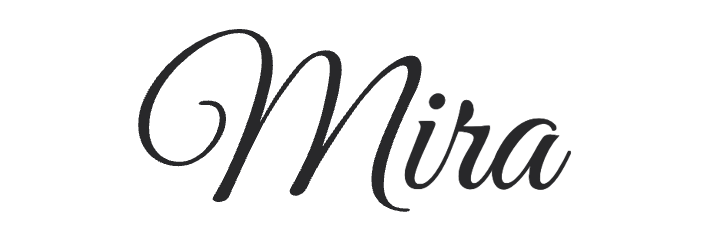
Each image is a transparent PNG exported from this tool. Try the same words above to see how a change of script alters their shape.


Prepare a reference for your tattoo artist
Look closely at the joins and endings
Try the same name in each tile. Great Vibes has fine loops and sweeping capitals. Dancing Script gives the letters a softer rise and fall. Yellowtail has heavier downstrokes, while UnifrakturMaguntia breaks the letters into angular strokes. Compare the openings inside letters like a and e. Fine strokes and tightly spaced joins can become less distinct when tattooed at a small size. Ask your artist how much room a particular design needs.
Check placement on a photo
Choose an ink color and download the transparent PNG. In a photo editor, place the lettering over a photo of the intended area. Resize the image by a corner and check the reading direction in an unmirrored view. The background colors in the tool help you compare contrast. Your photo shows the actual contours and lighting of the placement. Keep the original spelling alongside the reference, especially for initials or names with accents.
Make an actual-size paper proof
Proof width measures the full image, including its clear margins. Choose a width such as 60 mm, select Print actual size, and set the print dialog to 100%. Turn off headers and footers. Measure the 20 mm calibration line with a ruler before judging the size. Cut out the reference and compare it with the intended placement. The downloaded PNG can also be placed in a document at the chosen width.
Bring the spelling and your preferred size
Show your tattoo artist the exported lettering, the measured paper proof, and a plain-text copy of the words. Point out the capital, connecting stroke or flourish you like. Your artist can redraw the lettering, adjust its spacing and choose a line weight for the final placement. Keep a copy of the original PNG if you want to compare another size later.
Tattoo lettering questions
Does the PNG include the background color?
The download contains the lettering in your chosen ink and a transparent area around it. Place the file over a photo or a colored layer in your editor to check the transparency.
How many pixels will the tattoo reference have?
The tool calculates the image width at 300 pixels per inch. A 60 mm proof exports at 709 pixels wide. When importing the PNG into a layout, set its physical width yourself. The browser print button applies the millimeter width directly.
Can I use the reference as the final tattoo stencil?
Use the PNG or paper proof to agree on the spelling, proportions and style. Your tattoo artist prepares the final artwork and stencil for your chosen placement.
Does my name or phrase get uploaded?
Your browser renders the lettering and prepares the PNG locally. The font files load from the site. If you add the downloaded PNG to an online photo editor, that editor receives the file you choose to upload.
More from the studio
Use the calligraphy generator to compare more typefaces, or make a tightly cropped name with the calligraphy signature generator.